


WhatsApp has announced a major update:
WhatsApp is bringing video and voice calls to its web app.
This is big news for users around the world who rely on WhatsApp for communication — whether for work, family chats, or staying in touch with friends. With this change, you won’t need to rely solely on your phone or a desktop app to make calls. Instead, you’ll be able to place and receive voice and video calls directly from your browser.
This blog explains what’s happening, how it will work, who gets it first, and why this rollout matters.
What Is the WhatsApp Web App?

Before we dive in, let’s clarify what we mean by “WhatsApp web app.”
WhatsApp Web is the version of WhatsApp that runs in a web browser like:
- Google Chrome
- Microsoft Edge
- Safari
- Firefox
Traditionally, WhatsApp Web has allowed users to:
✔ Send and receive messages
✔ Share photos and files
✔ See chat history
✔ View status updates
But until now, it did not support video or voice calling directly from the web browser — only through the phone or desktop app.
That’s about to change.
People also like to learn Google Photos Memes Creation
WhatsApp Is Bringing Video and Voice Calls to Its Web App — What’s New?
WhatsApp is rolling out features that let you:
📞 Make voice calls
🎥 Make video calls
All directly from a browser tab — no need to switch to your phone or desktop app.
This means:
- You can call contacts from your laptop or computer
- The browser becomes a fully capable communication hub
- You no longer depend on your phone’s battery or connectivity for calls
How the Feature Will Work
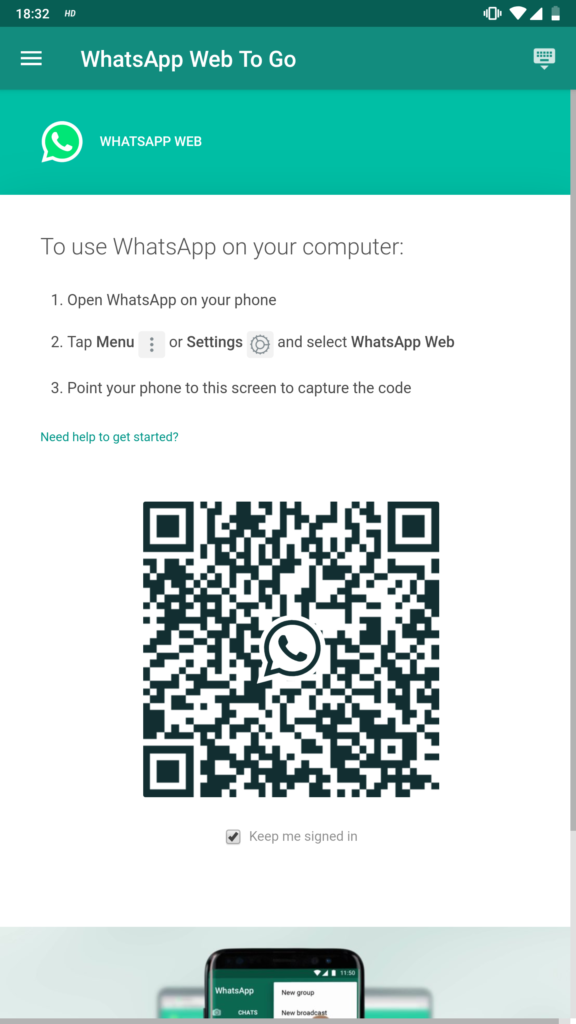
Here’s how WhatsApp calling on the web will function:
1. Log In to WhatsApp Web
Just like before:
- Go to web.whatsapp.com
- Scan the QR code with your WhatsApp mobile app
- Your chats appear in the browser
This connects your WhatsApp account to the web interface.
2. Select a Contact
Choose a friend or business you want to call.
3. Click the Voice or Video Call Button
Once the feature is enabled for your account, you will see:
📞 A voice call icon
🎥 A video call icon
Click the one you want to start a call.
4. Allow Camera and Microphone Access
The browser will ask for permission to use your camera and microphone. Just click Allow.
5. Start Calling!
Once connected, you can talk or video chat just like on your phone.
It’s seamless, intuitive, and built into the web experience you already use.
Who Can Use This First? (Rollout Details)
WhatsApp is not launching this feature for everyone at once. Instead:
- It is being rolled out gradually
- Early access is available to beta users first
- The full public release will follow over weeks
If you don’t see calling buttons yet, don’t worry — it should reach your account soon as part of the staged rollout.
Is It Secure? Yes — End-to-End Encryption
Just like WhatsApp mobile calls, voice and video calls on the web are end-to-end encrypted.
This means:
✔ Only you and the person you’re calling can hear or see the conversation
✔ WhatsApp does NOT have access to your call content
✔ Calls are protected by strong privacy standards
This commitment to privacy has been a core part of WhatsApp’s infrastructure for years.
Why This Update Matters
Here are the key reasons this is a huge deal:
1. Easier Work and School Communication
People who work on computers all day can now:
- Join WhatsApp calls without picking up their phone
- Conduct video calls during remote work
- Keep contacts close while multitasking
2. Better Multitasking
When you’re on a laptop:
- You can call while typing documents
- You can share links, files, and content instantly
- You don’t have to juggle devices
3. Great for Business Use
Small business teams that use WhatsApp Web now have:
- Calling capabilities for team catch-ups
- Easier remote coordination
- No need for separate conferencing tools
4. Clean, Simple, and Unified
Instead of switching between:
🔁 Browser
📱 Phone
🖥 Desktop App
You can stay in one place — your browser — for messaging and calling.
Comparison: WhatsApp Web Calling vs. Desktop App
| Feature | WhatsApp Web Calling | WhatsApp Desktop App |
|---|---|---|
| Voice Calls | Yes | Yes |
| Video Calls | Yes | Yes |
| No Phone Needed | Yes | Yes (if linked) |
| Browser Support | Chrome, Edge, Safari, Firefox | Windows, macOS apps |
| Notifications | Browser notifications | System notifications |
WhatsApp Web calling brings desktop-class features directly into your browser — powerful, simple, and flexible.
Tips for Best Call Experience on WhatsApp Web
To get the most out of WhatsApp Web calls:
✔ Use a good webcam and microphone
✔ Connect to a stable internet connection
✔ Close unused browser tabs for better performance
✔ Use headphones to reduce echo and noise
These simple tips ensure clear audio and a smooth video experience.
What’s Next: Group Calls and More Features
WhatsApp is expected to expand Web calling with additional capabilities in the future, such as:
🔹 Group voice and video calls
🔹 Screen sharing
🔹 Scheduled call links
🔹 Integration with business tools
These enhancements will continue to make WhatsApp Web a powerful communication platform.
Conclusion: Calls Without Limits
The announcement that WhatsApp is bringing video and voice calls to its web app marks a significant step forward in digital communication.
Users will benefit from:
🌍 Cross-device flexibility
💻 Desktop and laptop calling
📉 Fewer interruptions from device switching
🔐 Continued privacy and encryption
WhatsApp Web is no longer just for chat — it’s now a complete calling platform.
Whether for work, family, school, or business, this update delivers more freedom, convenience, and connectivity right in your browser.
For more update about WhatsApp to enable voice and video calls on web version